Every setting,in plain English
See what each of the 180 Claude Code settings does, and set the ones you want. Then copy your settings.json, or paste your own to check it.
1{2"model": "opus",← Use the most capable model3"effortLevel": "high",← Think longer on hard tasks4"permissions": {5"defaultMode": "acceptEdits",← Edit files without asking6"deny": ["Read(./.env)"]← Never read your .env file7},8"cleanupPeriodDays": 90,← Keep chats for 90 days9"editorMode": "vim"← Vim keys in the prompt10}
Use the most capable model
Configuration
Which model Claude Code uses, how much it thinks, and how it answers.
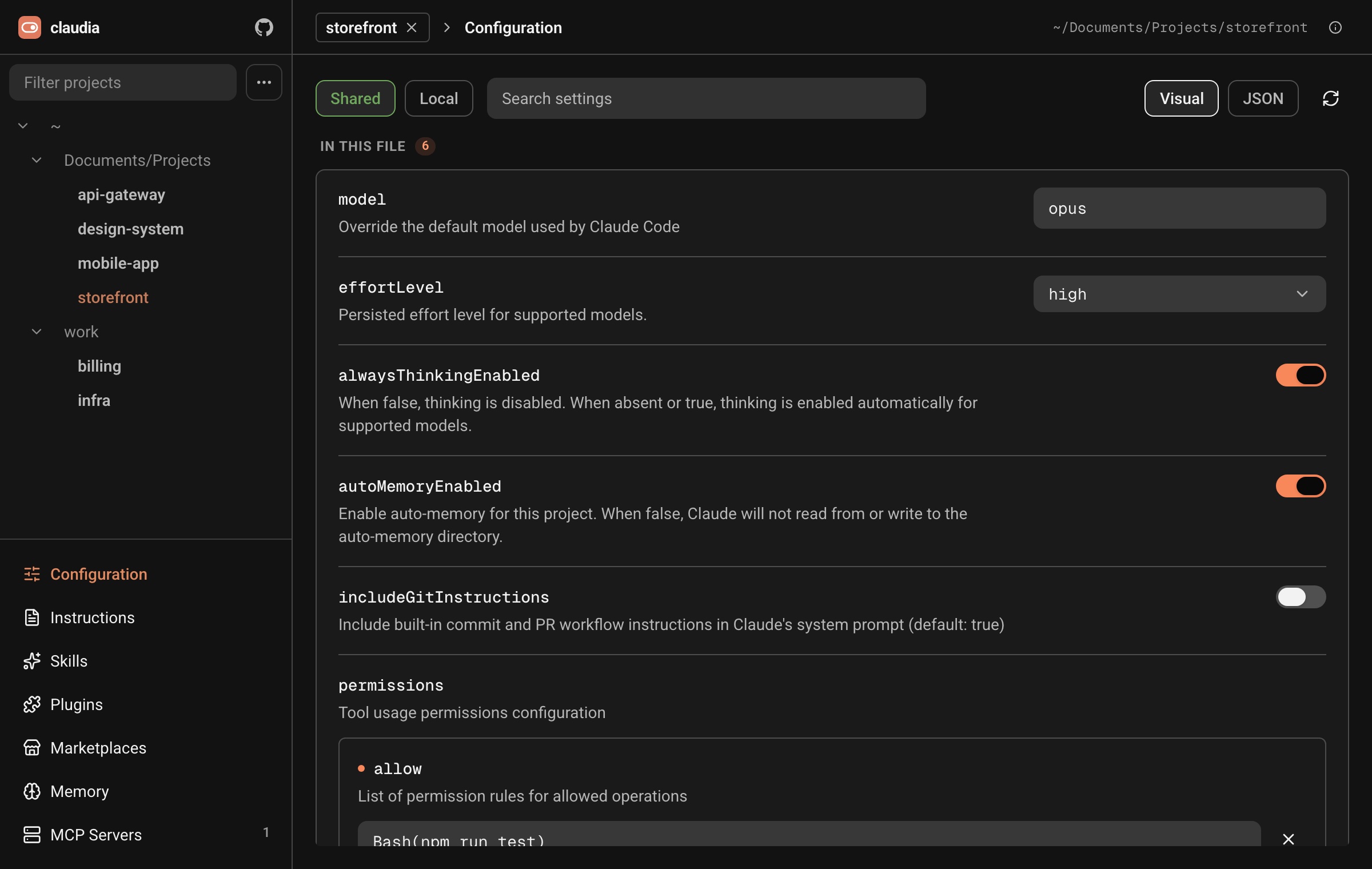
modelOverride the default model used by Claude Code
effortLevelPersisted effort level for supported models.
alwaysThinkingEnabledWhen false, thinking is disabled. When absent or true, thinking is enabled automatically for supported models.
DefaultshowThinkingSummariesRequest API-side thinking summaries and show them in the conversation and in the transcript view (ctrl+o). Set explicitly to override the default for your install.
Not setfastModeWhen true, fast mode is enabled. When absent or false, fast mode is off. On Vertex a saved value is ignored: use /fast each session.
Not setfastModePerSessionOptInWhen true, fast mode does not persist across sessions. Each session starts with fast mode off.
Not setfallbackModelFallback model(s) tried in order when the primary model is overloaded or unavailable. Each element accepts a model name or alias; "default" expands to the default model. CLI --fallback-model takes precedence.
advisorModelAdvisor model for the server-side advisor tool.
outputStyleControls the output style for assistant responses
languagePreferred language for Claude responses and voice dictation (e.g., "japanese", "spanish")
agentName of an agent (built-in or custom) to use for the main thread. Applies the agent's system prompt, tool restrictions, and model.
modelSettingsPer-model settings keyed by canonical model name.
maxEffortLevelMaximum effort level. Anything above it (an /effort or /model pick, --effort, CLAUDE_CODE_EFFORT_LEVEL, a model default) is clamped to it, on every provider including Bedrock, Vertex and Foundry. Combines with an organization's per-model effort cap by taking the lower of the two; across settings files the lowest value wins, and modelSettings.<model>.maxEffortLevel replaces it per model. Enforced client-side: an effort supplied through CLAUDE_CODE_EXTRA_BODY is not clamped.
promptCacheTtlPrompt cache TTL for the main conversation (interactive, -p and SDK turns, plus the helpers that run inline with it): "5m" or "1h". Unset = automatic: 1 hour on a Claude subscription within its usage limits, 5 minutes on an API key, Bedrock, Vertex or Foundry. 1-hour cache writes are billed at a higher rate; the cache stays warm across longer breaks. The CLAUDE_CODE_PROMPT_CACHE_TTL environment variable takes precedence.
subagentPromptCacheTtlPrompt cache TTL for everything outside the main conversation — subagents, workflows, background and helper requests: "5m" or "1h". Unset = automatic (5 minutes unless ENABLE_PROMPT_CACHING_1H=1). The CLAUDE_CODE_SUBAGENT_PROMPT_CACHE_TTL environment variable takes precedence.
switchModelsOnFlagWhen safeguards flag a message, automatically switch to a different model to keep chatting. When off, your session will pause instead.
Not setautoContinueAtUsageLimitWhen a claude.ai usage limit stops your session, wait for the limit to reset and continue the task automatically. When off, the limit dialog offers the wait as a choice instead.
Not setultracodeEnable ultracode for the session: standing dynamic-workflow orchestration at any effort level. Session-scoped — typically provided via --settings or the apply_flag_settings control request; interactive toggles never persist it. Requires workflows to be enabled and a model that supports ultracode.
Not set
Edit every setting with a form, not with JSON
Edit your CLAUDE.md, settings.json, MCPs, plugins, skills and more.
Quick and focused. Written in Go.
- 1
Open Terminal
- 2
Paste this, and press Return
curl -fsSL https://raw.githubusercontent.com/claude-settings-xyz/claudia/main/install.sh | sh - 3
Type
claudiaor tap its icon in the menu bar